If you run a small business — ten people, maybe thirty, maybe just you and a handful of contractors — you don’t need to know every capability of Google Vault or advanced endpoint management. You need to know which plan to actually pick, and why, without wasting money on features you’ll never touch or cutting corners in ways that’ll bite you later.
This guide is written for that person. We’ll walk through each plan in plain English, explain exactly who each one is built for, and give you a clear recommendation based on your team size and how you actually work.
Quick Answer (if you’re short on time)
Not sure which plan to pick? Here’s the short version based on your team size:
| Team Size | Best Plan | Price |
|---|---|---|
| 1–3 people (solo / micro-team) | Business Starter | $7/user/month |
| 4–30 people (growing SMB) | Business Standard | $14/user/month |
| Any size, regulated industry (legal, healthcare, finance) | Business Plus | $22/user/month |
Business Standard is the right default for most small businesses. It’s where Workspace stops feeling basic and starts feeling like a proper business tool — meeting recordings, generous storage, and shared team drives included.
Keep reading to understand exactly why, and when these recommendations change.
Best Google Workspace Plan for Small Business
First: What Google Workspace Actually Replaces
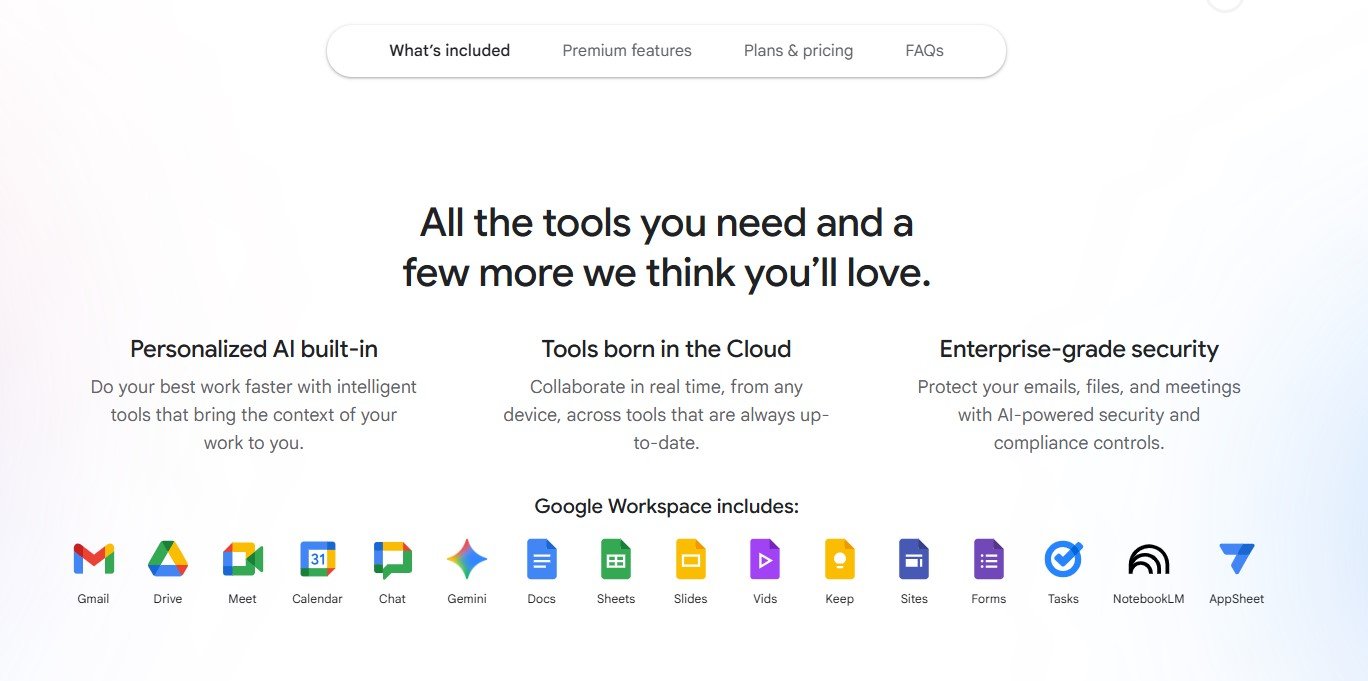
Before comparing plans, it helps to understand what you’re actually buying. Google Workspace is essentially three things bundled together:
- Professional email — Gmail on your own domain (yourname@yourbusiness.com, not a Gmail.com address)
- Collaboration tools — Google Docs, Sheets, Slides, Drive, Meet, Chat, and Calendar
- Admin and security controls — managing who has access to what, two-factor authentication, audit logs, and (on higher plans) compliance tools
If you’re currently using free Gmail for business email, you’re missing out on professional credibility and the admin controls that come with a paid account. If you’re using Microsoft 365, the question becomes whether Google’s collaboration model suits how your team works.
Google Workspace tends to win for teams that live in their browsers, work asynchronously, collaborate on documents in real time, and need everything accessible from any device without fuss. It’s particularly strong for remote and hybrid teams.
The Four Plans — What Each One Actually Gets You
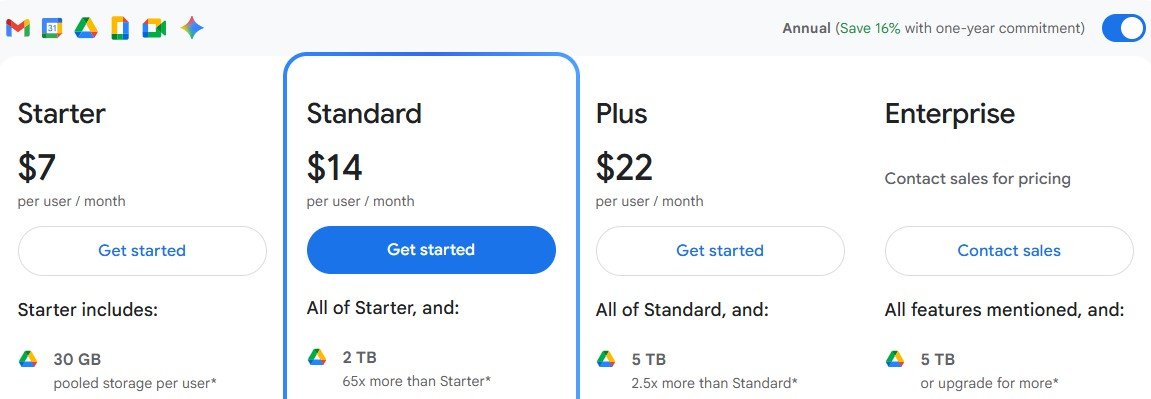
Google currently offers four plans relevant to small businesses. Here’s the honest breakdown:
1. Business Starter — $7 per user/month (or $84/year)
This is the entry-level paid plan, and it’s legitimately useful for very small operations. You get:
- 30 GB of pooled storage per user — not a lot if your team shares large files or records many video meetings
- Google Meet video calls up to 100 participants — no recording functionality at this tier
- Custom email on your domain, basic admin controls, and 24/7 Google support
- All the core apps — Docs, Sheets, Slides, Drive, Calendar, Chat
| Who Business Starter is right for: Freelancers or solopreneurs who mainly need professional email and light collaborationMicro-teams (2–3 people) who rarely share large files or record meetingsBusinesses primarily using another tool (like Slack or Zoom) and just want Workspace for email and Drive |
❌ Where Starter falls short:
No meeting recordings — a common frustration for remote teams
30 GB fills up faster than you think once you’re sharing decks, videos, or client deliverables
No noise cancellation in Meet, which matters if your team works from home or coffee shops
2. Business Standard — $14 per user/month (or $168/year)
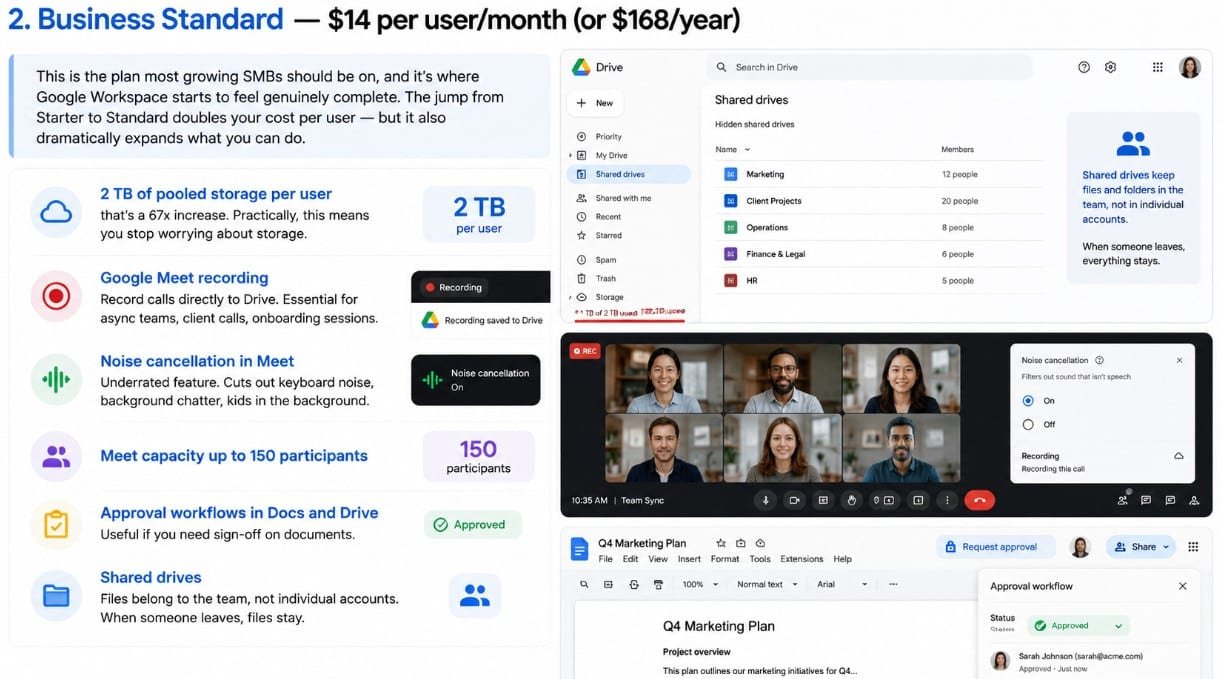
This is the plan most growing SMBs should be on, and it’s where Google Workspace starts to feel genuinely complete. The jump from Starter to Standard doubles your cost per user — but it also dramatically expands what you can do.
Key upgrades over Starter:
- 2 TB of pooled storage per user — that’s a 67x increase. Practically, this means you stop worrying about storage.
- Google Meet recording — record calls directly to Drive. Essential for async teams, client calls, onboarding sessions.
- Noise cancellation in Meet — underrated feature. Cuts out keyboard noise, background chatter, kids in the background.
- Meet capacity up to 150 participants
- Approval workflows in Docs and Drive — useful if you need sign-off on documents
- Shared drives — files belong to the team, not individual accounts. When someone leaves, files stay.
That last point — Shared Drives — is something a lot of small business owners don’t think about until an employee leaves and takes all their Drive files with them. On Business Standard, Shared Drives mean files live in a team space, not in an individual’s My Drive. This is a meaningful operational upgrade.
| Who Business Standard is right for: Teams of 5–50 people who collaborate regularly and share filesAnyone who runs remote meetings and needs recordings (client calls, interviews, training)Businesses where files and documents are a shared asset, not tied to individual accountsGrowing companies who want room to scale without upgrading plans again soon |
3. Business Plus — $22 per user/month (or $264/year)
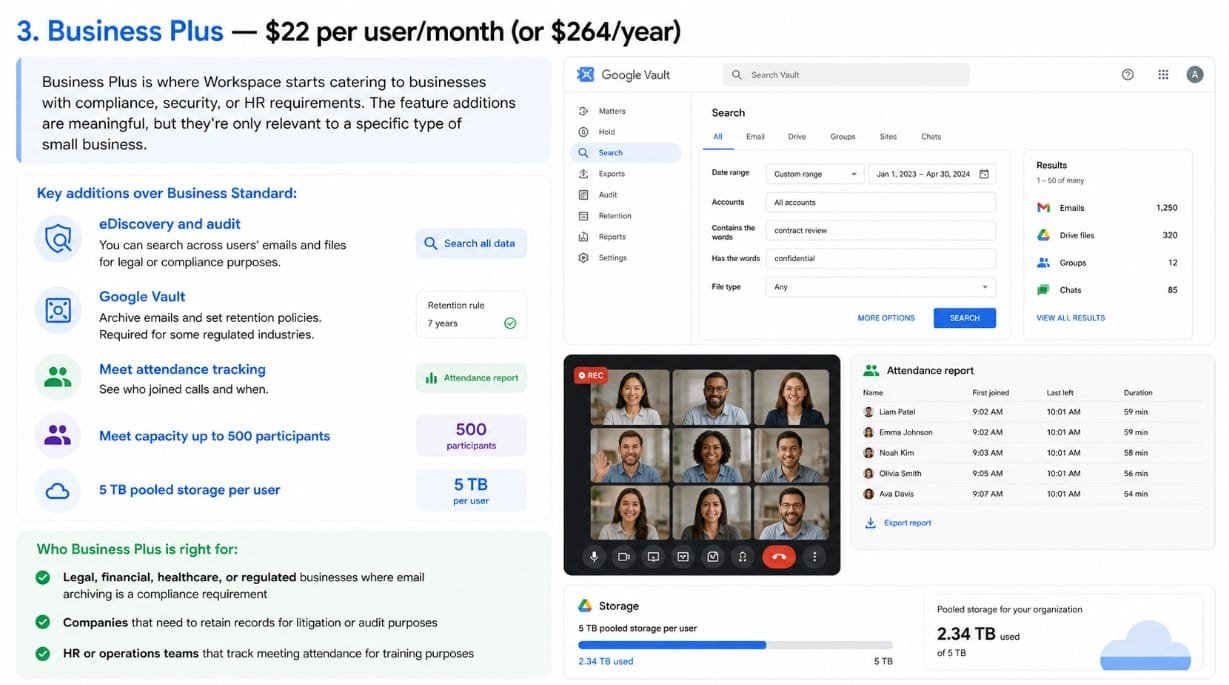
Business Plus is where Workspace starts catering to businesses with compliance, security, or HR requirements. The feature additions are meaningful, but they’re only relevant to a specific type of small business.
Key additions over Business Standard:
- eDiscovery and audit — you can search across users’ emails and files for legal or compliance purposes
- Google Vault — archive emails and set retention policies. Required for some regulated industries.
- Meet attendance tracking — see who joined calls and when
- Meet capacity up to 500 participants
- 5 TB pooled storage per user
| Who Business Plus is right for: Legal, financial, healthcare, or regulated businesses where email archiving is a compliance requirementCompanies that need to retain records for litigation or audit purposesHR or operations teams that track meeting attendance for training purposes |
If you’re not in a regulated industry and your team is under 50 people, you almost certainly don’t need Business Plus. Business Standard covers everything most SMBs actually use.
4. Enterprise Starter / Standard / Plus — Custom pricing
Enterprise plans are built for larger organisations with complex security requirements, dedicated support needs, and large-scale deployment. For most small businesses, they’re overkill.
That said, Enterprise Starter (which starts around $10/user/month with a quote) is worth considering if you need:
- Data loss prevention (DLP) — prevents users from accidentally sharing sensitive files externally
- Context-aware access — restrict apps based on user location or device status
- Advanced security dashboards and alert controls
For a small business without a dedicated IT team, the added complexity of Enterprise-grade controls often creates more friction than value. Start with Business Standard or Plus; you can always upgrade.
Google Workspace Plans at a Glance
Choosing a Google Workspace plan sounds simple until you realize the differences aren’t just about storage or price. Some features that barely matter for one business can completely change how another team works day to day.
For most small businesses, the real decision comes down to balancing cost with the tools your team will actually use — things like meeting size limits, recording, approval workflows, shared drives, and long-term data management.
The table below gives you a quick side-by-side look at what each plan includes, so you can spot the practical differences without digging through Google’s pricing pages.
| Feature | Starter | Standard | Plus |
| Price (per user/month) | $7 | $14 | $22 |
| Storage per user | 30 GB | 2 TB | 5 TB |
| Meet: Max participants | 100 | 150 | 500 |
| Meet recording | No | Yes | Yes |
| Noise cancellation | No | Yes | Yes |
| Shared Drives | Yes | Yes | Yes |
| Approval workflows | No | Yes | Yes |
| Google Vault (archiving) | No | No | Yes |
| eDiscovery | No | No | Yes |
| Attendance tracking | No | No | Yes |
| 24/7 Support | Yes | Yes | Yes |
Prices shown are monthly billed. Annual billing saves approximately 17%.The Decision Framework: Which Plan Should You Choose?

Forget the feature lists for a moment. These three questions will point you to the right plan faster than any table:
Question 1: Do you need to record video calls?
If yes — and most teams with even occasional client calls do — you need Business Standard as a minimum. Recording is locked behind Standard, and it’s one of the most-used features for remote and hybrid teams. Onboarding recordings, client call notes, training sessions — all of these become effortless when you can send a Drive link instead of taking notes.
If no — you really do only use Workspace for email and basic file sharing — Business Starter is fine.
Question 2: How big is your team, and do people share files regularly?
On Business Starter, you get 30 GB per user. That’s per user — not shared. For a solo or two-person team, that’s probably enough. For a team of ten sharing decks, videos, and client folders, you’ll hit the ceiling sooner than you think.
Business Standard’s 2 TB per user (pooled across the account) means a 10-person team has 20 TB of shared storage. You’ll very likely never hit it. And at only $7/user more per month, the maths usually makes sense if you’re sharing files regularly.
Question 3: Do you operate in a regulated industry?
Legal firms, healthcare providers, financial services businesses, and other regulated sectors often have specific requirements around email retention, archiving, and audit trails. If that’s you, Business Plus or Enterprise Starter is worth the premium because Vault and eDiscovery become compliance requirements, not nice-to-haves.
If you’re unsure, ask your legal or compliance advisor before choosing. Getting this wrong is expensive to fix retroactively.
Related : Deel vs Remote vs Rippling: Best EOR for Scaling Agencies
The Three Mistakes Small Businesses Make When Choosing a Workspace Plan
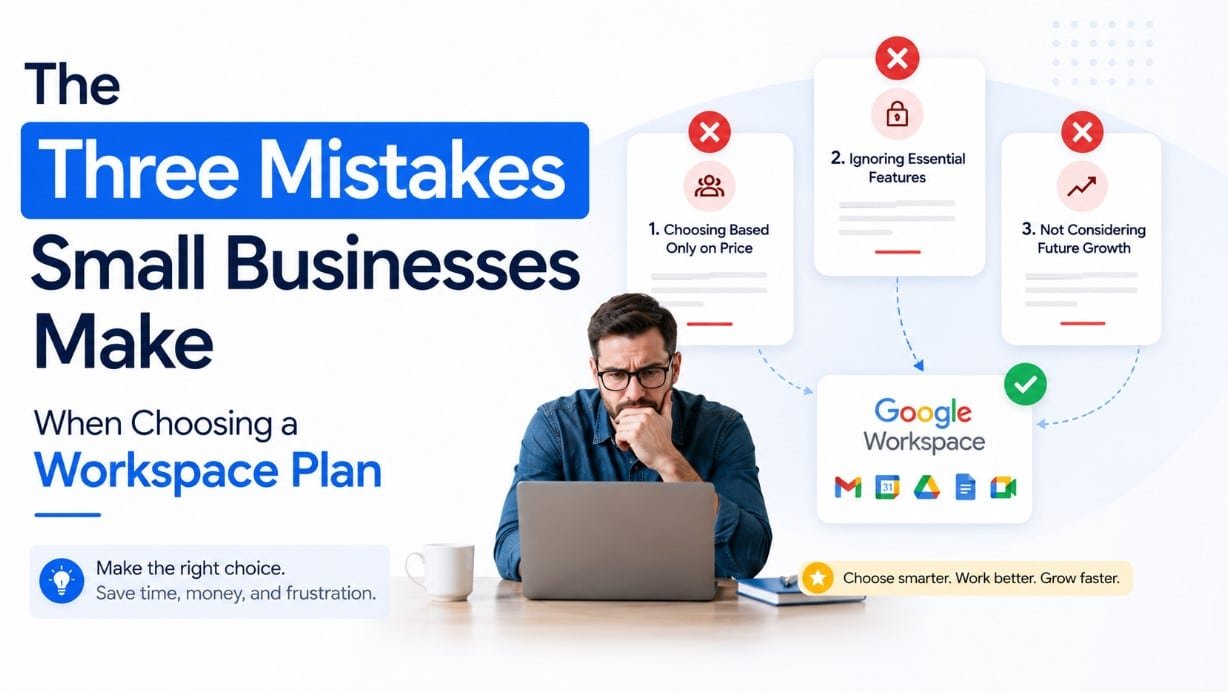
Mistake 1: Starting on Starter and upgrading reactively
The most common pattern: a business signs up for Starter to save money, runs out of storage six months later, discovers they can’t record meetings, and then upgrades in a rush. The cost of lost productivity and the admin headache of upgrading mid-stride usually outweighs the savings.
If your team is four or more people and you’re doing any video meetings with clients, just start on Business Standard. You’ll thank yourself later.
Mistake 2: Overpaying for Enterprise features you won’t use
At the other end: small businesses that get upsold into Enterprise plans during a sales call. Enterprise-grade DLP and security policy controls are genuinely powerful — and genuinely overkill for a 15-person marketing agency. Business Plus has everything you need for compliance at a fraction of the cost.
Mistake 3: Ignoring the annual billing discount
Google offers roughly 17% off if you pay annually instead of month-to-month. On a 10-person team on Business Standard, that’s about $144 saved per year. Not life-changing, but worth knowing.
| Pro tip You can mix plan tiers across users. A 20-person team where 15 people just need email and Drive can stay on Business Starter, while 5 power users who run client calls and need recordings can be upgraded to Business Standard. You’re billed per user per plan. Most Google Workspace resellers can help you set this up. |
Switching From Free Gmail or Microsoft 365?
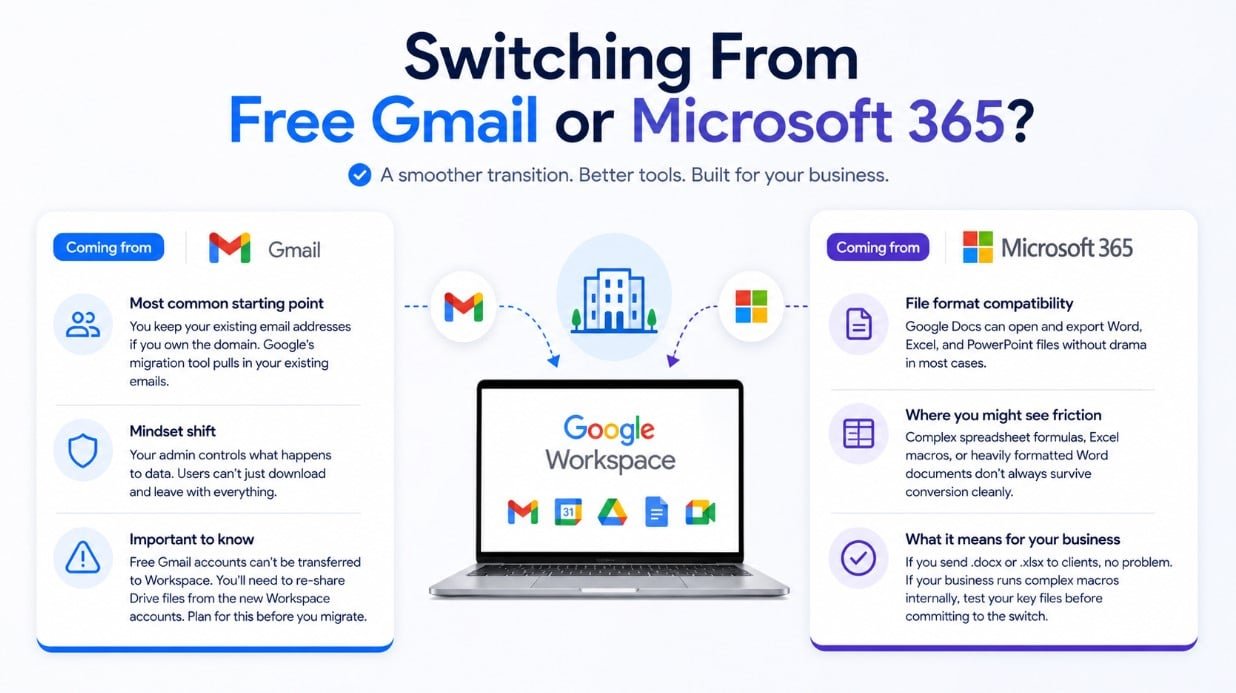
Coming from free Gmail
This is the most common starting point for small businesses. The transition is straightforward — you keep your existing email addresses if you own the domain, and Google’s migration tool pulls in your existing emails. The main adjustment is switching from personal to business mindset: your admin controls what happens to data, users can’t just download and leave with everything.
One thing people miss: free Gmail accounts can't be transferred to Workspace. If your team has been using personal Gmail addresses to collaborate on Drive files, you'll need to re-share those files from the new Workspace accounts. Plan for this before you migrate.Coming from Microsoft 365
The file format question is the first thing people ask. Google Docs can open and export Word, Excel, and PowerPoint files without drama in most cases. Where you’ll notice friction is with complex spreadsheet formulas, Excel macros, or heavily formatted Word documents — these don’t always survive conversion cleanly.
If your business runs on Microsoft Office files as outputs — sending .docx or .xlsx to clients who expect those formats — Google Workspace handles this fine. If your business runs complex macros internally, test your key files before committing to the switch.
FAQ (Frequently Asked Questions)
Can I try Google Workspace before paying?
Yes — Google offers a 14-day free trial on all Business plans. No credit card required. It’s worth running the trial on Business Standard even if you’re considering Starter, so you can see what you’d be giving up.
What happens to my files if I cancel?
You have 30 days after cancellation to export your data. After that, access is lost. Google’s Takeout tool lets you export everything — emails, Drive files, calendars — in standard formats. If you’re migrating to another provider, do this before cancelling.
Is Google Workspace GDPR compliant?
Yes. Google has signed Data Processing Agreements (DPAs) for all Business plans, and Workspace data can be stored in the EU if required. For EMEA businesses with strict data residency requirements, you can select the EU as your data region. Enterprise plans give you more granular control over this.
How many users do I need minimum?
There’s no minimum user count. You can have a single-person Workspace account. Billing is per user, per month, so you only pay for the seats you use.
Can different users be on different plans?
Yes. This is particularly useful for businesses with mixed needs — for example, putting your core team on Business Standard while giving light users (occasional contractors, bookkeepers) a Business Starter seat. You manage this from the Admin Console.
The Bottom Line
Here’s the honest, no-hedging version:
If you’re running a small business and you’re not sure which plan to pick, choose Business Standard.
At $14 per user per month, it’s the plan where Google Workspace stops feeling like a cost and starts feeling like infrastructure. You get meeting recordings, generous storage, noise cancellation, and Shared Drives — the features that actually change how your team works day to day. Upgrade to Business Plus only if you need email archiving for compliance reasons. Stick with Starter only if you’re solo or a micro-team with very light collaboration needs and tight budget constraints.
Ready to set up Google Workspace for your team?
Google Workspace starts at $7/user/month on an annual plan — and includes a 14-day free trial so you can test it before committing. Business Standard, the plan most SMBs should start with, is $14/user/month. Start your Google Workspace trial here: workspace.google.com Affiliate disclosure: This article contains affiliate links. If you sign up through our link, we may earn a commission at no extra cost to you. We only recommend products we’ve evaluated and genuinely use.
Google Workspace starts at $7/user/month on an annual plan — and includes a 14-day free trial so you can test it before committing. Business Standard, the plan most SMBs should start with, is $14/user/month. Start your Google Workspace trial here: workspace.google.com Affiliate disclosure: This article contains affiliate links. If you sign up through our link, we may earn a commission at no extra cost to you. We only recommend products we’ve evaluated and genuinely use.
Quick note: Some of the links below are affiliate links. This means if you choose to make a purchase, I’ll earn a small commission at no additional cost to you. I only recommend tools I fully trust!