I spent last week generating the same marketing assets across four free AI image generators — a blog header, a Facebook ad visual, a product mockup, and a social graphic for Instagram. Some tools surprised me. A couple disappointed me. One did something no other free AI image generator can do.
If you are a marketer, blogger, or small business owner who needs professional-looking visuals without paying a designer or subscribing to yet another SaaS tool, this comparison is for you. I am not ranking these by raw image quality alone. I am ranking them by what actually matters when you have a deadline and a budget of zero.
For this ai image generator free review, I checked each platform’s current workflow and product documentation, then compared the findings with public user reports. Where I refer to community experience rather than my own evaluation, I say so directly.
A quick note: Free plans and usage limits change frequently. Check each platform’s current terms before building it into your workflow.
Quick Comparison: Free AI Image Generators at a Glance
| Tool | Best For | Free Plan Highlight | The Catch |
| VisualGPT | Product images, ad concepts, and quick edits | Generation and editing tools in one place | Advanced features consume more credits |
| Canva Magic Media | Social content and branded layouts | Works inside Canva’s template-based editor | Free AI usage is limited — once you hit the cap, you wait |
| Leonardo AI | High-quality artistic and photorealistic images | 150 free daily tokens, premium model quality | Steeper learning curve for non-designers |
| Microsoft Designer | Personal, non-commercial graphics | Powered by DALL-E, simple generation-to-design flow | Free consumer license does not cover commercial use |
What to Look For in a Free AI Image Generator
Here is the thing. Most roundups rank tools by how pretty the output looks. A photorealistic dragon breathing fire on a mountain scores a 10. A clean product shot on a white background scores a 6.
That is useless for a marketer looking for a real ai image generator free to do real work.
Image quality matters, but it is only one part of the decision. A striking image is not useful if it takes 20 attempts to create, cannot be edited, or does not fit your campaign. The right ai image generator free should save production time, not create another bottleneck.
I recommend judging any AI image tool on five practical factors:
Speed to a usable first draft. Can you get something workable in five minutes?
- Editing control. Can you remove an object, replace a background, or extend an image without starting over?
- Format flexibility. Can you create visuals for blog headers, square posts, and vertical stories?
- Brand consistency. Can you repeat a style without every image looking unrelated?
- Real free-plan value. Can you complete a small campaign before hitting a limit?
For a fair ai image generator free comparison, use the same brief in every tool:
Create a clean editorial-style image of a small-business owner reviewing a campaign dashboard, warm natural light, modern home office, blue and orange accents, space on the left for a headline, 16:9.
Do not judge only the first result. Generate a few variations, note how long you spend correcting them, and check whether the final image still needs another app. That “time to publish” is often more meaningful than raw image quality.
VisualGPT — Best All-in-One Option for Marketing Visuals
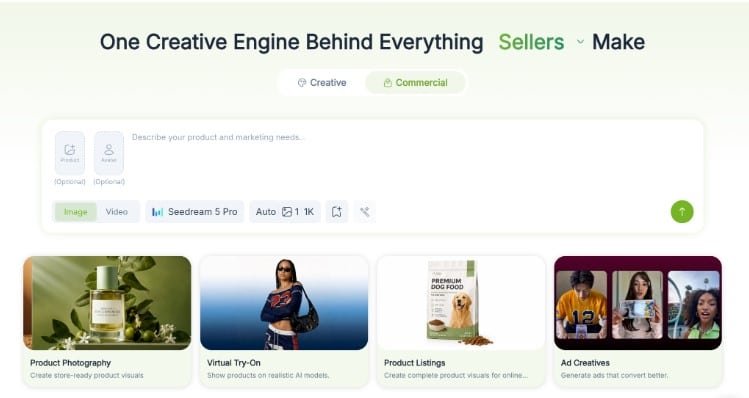
VisualGPT stands out in the ai image generator free category because it brings several visual tasks into one browser-based workspace. You can generate an image from a prompt, upload an existing photo, remove or replace elements, and create product-style scenes without moving between multiple tools.
That combination is useful for marketers. Imagine you are launching a reusable water bottle. You could generate campaign concepts, turn a basic product photo into a lifestyle scene, clean up the background, and produce a few ad variations from the same starting point.
What It Does Well
The range of what you can do on the free tier is what sets it apart. Need a blog header showing a marketer analyzing campaign data? Describe it and generate. Need to remove the background from a product photo? Upload, click, done. Need lifestyle shots of your product in different settings? The product photography feature handles it — no photographer, no studio, no waiting.
For marketers who need volume, the free tier is practical. You are not locked out after a handful of generations. You can create blog headers, social graphics, product mockups, and ad visuals in a single session without hitting a wall. Compared to Canva’s tight monthly cap or Leonardo’s daily token limit, it is simply more generous.
The biggest benefit is not that every first result is perfect. It is that the workflow encourages quick iteration. If you want to test an ai image generator free of a complicated setup, start with the VisualGPT AI image generator and use a real campaign brief rather than a random creative prompt.
Independent feedback is still limited compared to Canva or Leonardo. At the time of checking, Product Hunt showed a 4.8/5 rating based on only five reviews — encouraging, but not a large enough sample to support sweeping quality claims.
Where It Falls Short
The interface is not as polished as Canva’s drag-and-drop editor. If your workflow is entirely inside Canva and you rarely leave it, VisualGPT adds an extra step — generate here, then import there. Advanced features like higher-resolution exports and priority generation cost more credits, which is worth knowing if you plan to produce at high volume.
Output can also vary depending on the model, source image, and prompt. For paid ads and e-commerce listings, treat the output as a draft that needs human review — AI can alter small details like labels, packaging, or shadows.
A Practical VisualGPT Workflow
Here is a repeatable 6-step process:
- Write one sentence describing the campaign goal and audience.
- Specify the subject, setting, lighting, brand colors, and aspect ratio.
- Ask for clear negative space where your headline will go.
- Generate several directions before polishing one.
- Use the AI image editor to fix distracting objects or change the background.
- Add final copy and your logo in your usual design tool.
Who Should Use VisualGPT
Marketers who need a single ai image generator free that does text-to-image, editing, and product photography without juggling multiple apps. E-commerce sellers who want product shots without a photographer. Content creators who generate visuals frequently and cannot afford to hit a usage cap halfway through the week.
Canva Magic Media — Best for Social Media Workflows
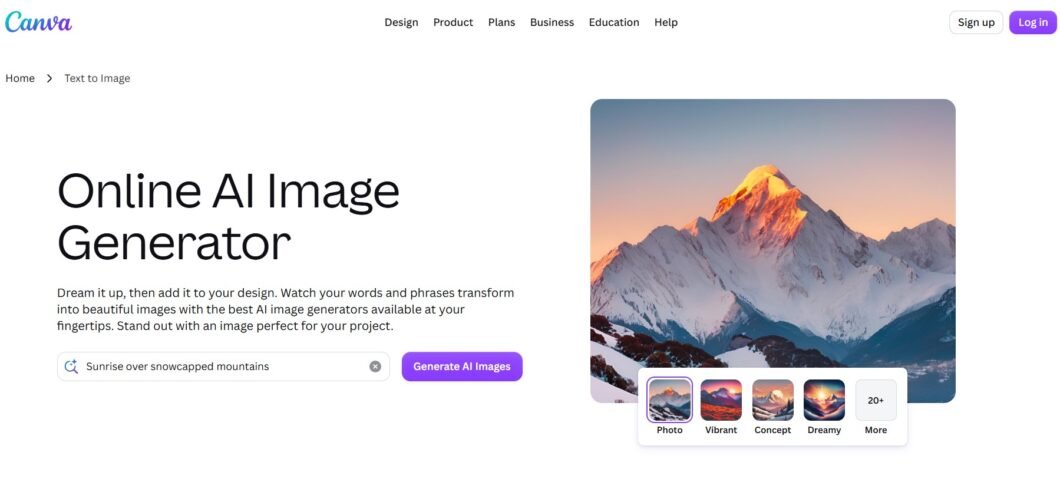
If you already live inside Canva for design work, its built-in ai image generator free — Magic Media — is the path of least resistance. Generate an image, and it lands directly in your Canva editor. From there, drop it into a template, add your brand colors and logo, resize for any platform, and publish.
What It Does Well
The integration is the selling point. For a social media manager juggling multiple client accounts, Canva’s workflow is unmatched. Generate, design, resize, schedule — all in one tool. The template library is enormous, which means even an AI image that is not perfect can be rescued with a good layout and some text overlay.
What I like most about Canva is what happens after generation. Dropping an image into a ready-made layout, adding brand colors, and adapting it for a social post feels more natural than treating the AI output as the finished design. My concern is that the first generated asset can look generic unless the prompt and layout receive another editing pass.
This tracks with the public feedback I reviewed. Users consistently praise Canva for producing social graphics and banners quickly, while others note generic-looking AI output or occasional interface lag after major updates. My takeaway: Canva is more convincing as a production editor than as a pure image generator.
Where It Falls Short
The free plan’s AI generation limit is tight. You get a set number of uses per month, and once you hit it, you are locked out until it resets. If you are generating blog headers daily or testing multiple ad variations, you will burn through the free allowance quickly. The AI image quality is also a step below dedicated tools — fine for social graphics with text overlays, less convincing for product photography or anything that needs to look professional on its own.
Who Should Use Canva
Social media managers who already use Canva for design and only need occasional AI-generated images as base assets. Not the best pick if AI generation is your primary visual creation method.
Leonardo AI — Best for Creative Control
Leonardo AI is a strong ai image generator free for marketers who enjoy experimenting with models, styles, and generation settings. It can produce polished photorealistic or highly stylized visuals, making it valuable for campaign concepts, editorial artwork, and mood-driven brand content.
What It Does Well
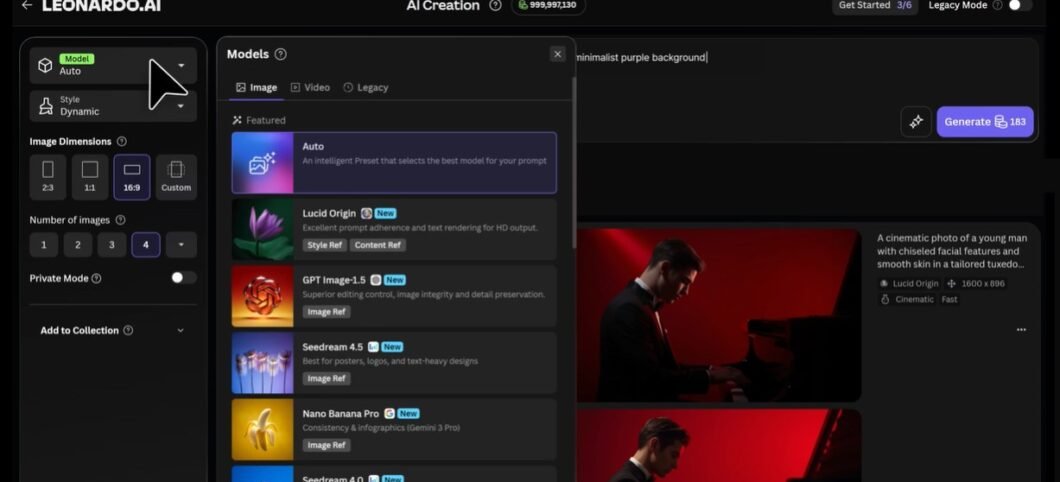
The model quality punches above its free-tier weight. You get access to multiple AI models, fine-tuning options, and advanced controls like negative prompts and seed values. For someone willing to invest time, the results rival paid competitors.
In one detailed 30-day user report I reviewed, the reviewer praised batch generation, style control, and the canvas tool, but flagged rapid token consumption and occasional bugs. Other users described realistic faces as hit-or-miss unless they generated several batches and retouched the best result. I would budget time for selection and cleanup rather than assuming the first image will be usable.
Where It Falls Short
There is a learning curve. Getting consistent, professional output from Leonardo requires understanding prompt syntax, model selection, and parameter tuning. It is built for creators and artists, not marketers who need a blog header in five minutes.
Leonardo’s current official free plan includes 150 fast tokens per day, basic quality settings, and public (not private) creations. The amount of work those tokens buy depends on your settings. For a marketer producing daily social content, you might run dry before lunch. Treat this ai image generator free plan as a way to test quality and workflow rather than assuming it will support unlimited production.
Who Should Use Leonardo
Designers and visually confident marketers who prioritize image quality above all else and are willing to learn prompt engineering to get it. Not the best pick for speed or for high-volume content production.
Microsoft Designer — Best for Low-Friction Everyday Graphics
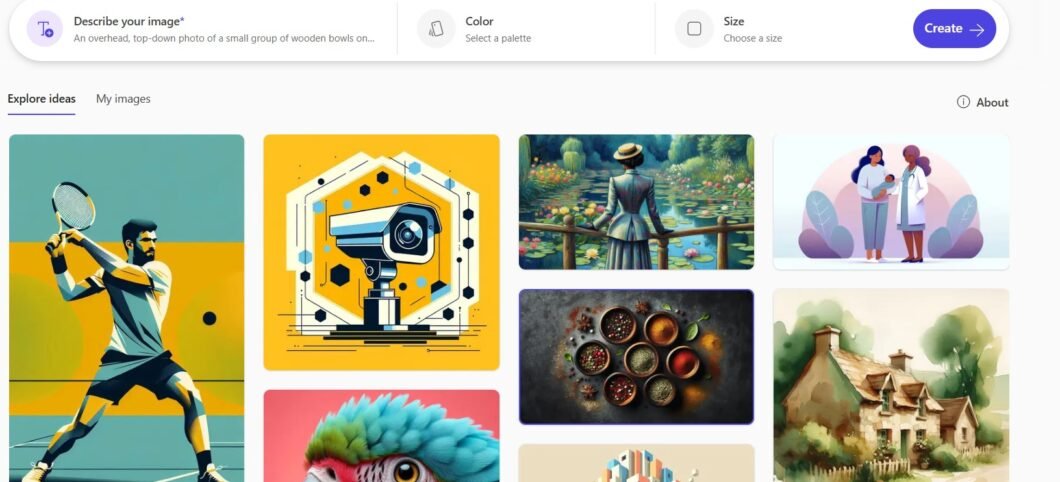
Microsoft Designer (formerly Bing Image Creator) is powered by DALL-E and requires essentially nothing to start — a Microsoft account, which is free, and you are generating. It is the simplest ai image generator free to pick up and use.
What It Does Well
Speed and simplicity. Describe what you need, generate options, and continue editing in a design canvas. The DALL-E backbone produces clean, competent results for basic visuals — blog headers, simple social graphics, generic lifestyle imagery. Microsoft documents generative erase, background removal, prompt enhancement, and upscaling to 4K.
Where It Falls Short
This is the biggest issue in my evaluation, and it is not about image quality — it is licensing. Microsoft’s current FAQ says the consumer product is licensed for personal, non-commercial use. Marketers should check the applicable business or Microsoft 365 terms before using its output in client work, ads, or other commercial campaigns.
Beyond licensing, “acceptable” is the ceiling on output quality. The results are fine but rarely impressive. There are no editing tools beyond basic generation — no background removal without starting over, no style transfer, no way to refine an image without regenerating from scratch. Specialist tools offer significantly deeper creative control. Microsoft also warns that text rendered inside generated images may be misspelled, so add important campaign copy in the editor instead.
Who Should Use Microsoft Designer
Personal projects and workflow evaluation. Bloggers who need one header image per week. Not a safe default for commercial marketing under the stated consumer license.
A 20-Minute Test Before You Choose
Do not choose an ai image generator free platform from screenshots alone. Run this simple test with one real campaign:
- Minutes 0–5: Generate a 16:9 blog header from your campaign brief.
- Minutes 5–10: Create a square variation for Instagram.
- Minutes 10–15: Replace one background or remove one unwanted object.
- Minutes 15–20: Add a headline and export the final asset.
Score each tool from one to five for speed, visual quality, editability, brand fit, and free-plan friction. Then multiply speed and brand fit by two. This turns an ai image generator free comparison into a workflow decision rather than a beauty contest.
Also run a basic quality-control checklist before publishing:
- Are logos, labels, and product features accurate?
- Does the image work on mobile?
- Is there enough contrast for overlaid text?
- Does it match your brand rather than a generic AI aesthetic?
- Have you recorded the prompt and settings so the style can be repeated?
Which Free AI Image Generator Should You Choose?
Here is the short answer based on what kind of marketer you are:
If you need one tool that handles text-to-image, editing, and product photography on a free tier that does not cap you after a few uses, start with VisualGPT. It is the most complete ai image generator free for marketers who produce visuals regularly.
If you are a social media manager who lives in Canva, stick with Magic Media for convenience. Just know you will bump into the usage cap if you generate heavily.
If image quality is your only criterion and you are willing to invest time, Leonardo AI produces the prettiest output on any free ai image generator free plan.
If you need something instantly with zero friction and it is for personal use only, Microsoft Designer gets the job done. For commercial marketing, verify licensing terms first.
Final Thoughts
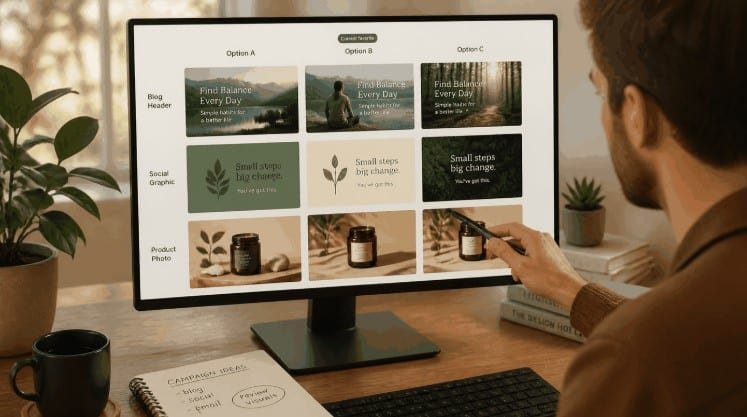
Here is what became clear after a week of testing: the best ai image generator free is not the one with the highest resolution or the prettiest art. It is the one that saves you the most time and actually helps you publish better content. A blog header that exists and is good enough beats one that does not exist because you are still waiting on a designer.
VisualGPT surprised me most in this comparison because of how much you actually get on the free tier. Most free AI image generators either limit you by usage count, lock editing tools behind a paywall, or force you to juggle multiple apps. VisualGPT gives you text-to-image generation, image editing, and product photography in one place — and the free tier is generous enough for regular use.
My suggestion? Pick one campaign and run the 20-minute test above. If you want to try ai image generator free with generation and editing in one workflow, start with a blog header or one product image. Measure how long it takes to reach a publishable result.
Let the workflow — not the hype — make the decision.