I spent the last week testing AI video ad generator tools the hard way — feeding each one the same product brief and watching what came out. A skincare brand’s hero product. A one-sentence value prop. No film crew, no studio, no editing suite.
Video ads are where marketing budgets either thrive or disappear. A traditional 30-second spot runs USD 1,500 to tens of thousands. A freelance videographer costs USD 800-1,200 per day — and you still need a script, location, and days of editing. For marketers and small business owners, that math breaks fast when you need multiple variations to A/B test properly.
A good AI video ad generator flips that equation. Generate variations in minutes instead of waiting weeks. Test 10 hooks instead of betting on one. Here is what I found.
Quick note: Pricing and free tiers change. Check each platform before committing.
Quick Comparison: VisualGPT vs Creatify vs HeyGen vs InVideo
| Tool | Best For | Standout Feature | The Catch |
| VisualGPT | All-in-one video creative workflow | Text-to-video, image-to-video, and video editing in one workspace | Advanced features and higher resolution cost more credits |
| Creatify | Product UGC-style video ads | URL-to-video with AI actors that feel natural | Free tier is tight; complex products need cleanup |
| HeyGen | AI spokesperson and talking-head ads | Most realistic AI avatars available | Great presenter, no real video generation beyond the avatar |
| InVideo | Template-based quick social video ads | 5,000+ templates, massive stock library | General video tool, not ad-specific; free tier watermarks exports |
What to Look For in an AI Video Ad Generator
Here is the thing. Most roundups rank these tools by how cinematic the demo reel looks. A slow-motion coffee pour with dramatic lighting scores a 10. A functional product demo with a clear hook and CTA? Usually a 6.
When I test an AI video ad generator, I care about five things:
- Speed to a publishable first draft. Can you go from brief to watchable video in under 15 minutes?
- Hook quality in the first three seconds. Does the tool understand you need a reason to keep watching — or does it open with a logo fade-in?
- Format flexibility. Can you export 9:16 for TikTok, 1:1 for Facebook feed, and 16:9 for YouTube without rebuilding?
- Iteration cost. Testing 5 variations should not burn your whole month’s budget.
- Real free-plan value. Can you complete one small campaign before hitting a hard stop?
Traditional production: brief the team, wait two weeks, get one version, pay USD 1,500-5,000, cross your fingers. An AI video ad generator done right: upload assets, generate variations, test, scale winners. The cycle shrinks from weeks to hours. If you are a marketer or small business owner looking for an AI video ad generator that fits a real campaign workflow, this is why I tested them head-to-head.
VisualGPT — Best All-in-One AI Video Ad Generator
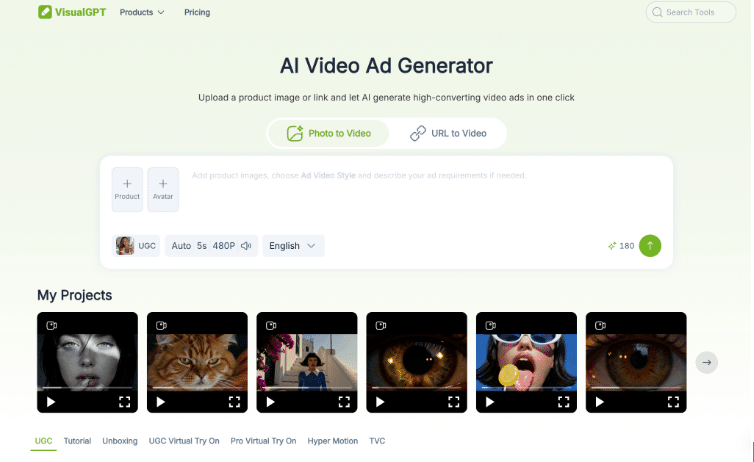
VisualGPT is the only tool in this group that handles text-to-video, image-to-video, and video editing in a single workspace.
What It Does Well
The range is what stands out. You can generate a video clip from a text prompt — describe the scene, the product, the mood, and the tool produces it. You can take static product photos and turn them into motion clips with smooth transitions and zoom effects. You can upload raw footage and edit directly in the browser: trim, add text overlays, adjust pacing, export.
For a marketer running campaigns across Meta, TikTok, and YouTube, that consolidation changes how you work. Instead of generating clips in one tool, editing in a second, and formatting in a third, you stay in one environment. When you are producing 5-10 ad variations per week, the friction savings compound fast.
The free tier is practical for testing an AI video ad generator without commitment. You can generate enough output to evaluate quality and workflow fit. Compared to tools that lock you out after five generations or watermark everything until you upgrade, it is genuinely usable.
Where It Falls Short
The interface is functional but not template-driven like InVideo. If your workflow relies entirely on pre-built templates and you never want to think about creative direction, VisualGPT asks more of you. Higher-resolution exports and priority generation consume more credits — something to factor in if you plan to produce video ads at scale.
Output quality varies by model and prompt. For paid campaigns where every frame matters, treat the first generation as a working draft. Review motion smoothness, check product details, and iterate before publishing.
A Practical VisualGPT Video Ad Workflow
- Write a one-sentence campaign brief: product, audience, CTA.
- Generate a base video from a text prompt, or upload product photos for image-to-video.
- Check the hook — does the first three seconds grab attention without sound?
- Trim, add text overlays, adjust pacing in the built-in editor.
- Export in 9:16, 1:1, and 16:9 for multi-platform testing.
Who Should Use VisualGPT
Marketers who want one AI video ad generator for generation, image-to-video, and editing — without juggling three subscriptions. Content teams producing 5-15 variations per week who feel the friction of switching between tools. E-commerce sellers who want to turn product photos into video ads without hiring a videographer. If that sounds like your workflow, you can try VisualGPT’s AI video generation on a real campaign brief and see how it fits.
Creatify — Best for Product UGC-Style Video Ads
Creatify is purpose-built for one workflow: turning product pages into UGC-style video ads. If you sell physical products online and need an AI video ad generator that goes straight from URL to ad, this is the closest fit.
What It Does Well
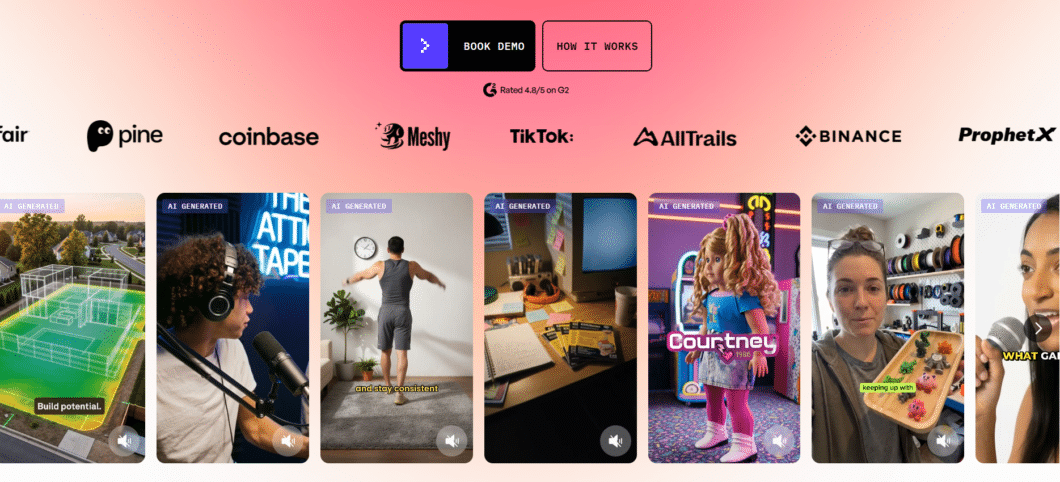
Paste a product URL, upload product images, or connect your Shopify store. The tool analyzes your product, generates a script, picks an AI actor, and produces a video where that actor demonstrates your product. The actors are convincing — natural hand movements, believable eye contact, and delivery that does not feel robotic. Scripts lean benefit-focused rather than generic, which matters when every word in your hook determines whether someone keeps watching.
Batch generation is Creatify’s superpower. Generate multiple variations simultaneously for aggressive A/B testing — exactly what a performance-focused AI video ad generator should enable. Media buyers running 50+ ad variants across Meta and TikTok will appreciate the workflow.
Where It Falls Short
The free tier is tight. Complex products with unusual shapes or moving parts trip up the AI — expect manual cleanup for anything beyond straightforward product shots. Creatify also does not do general video generation or editing. It is specialized, and that specialization cuts both ways.
Who Should Use Creatify
DTC brands and e-commerce sellers needing UGC-style product demos at scale without hiring creators. Not the pick if you need creative control beyond pre-built UGC formats.
HeyGen — Best for AI Spokesperson Videos
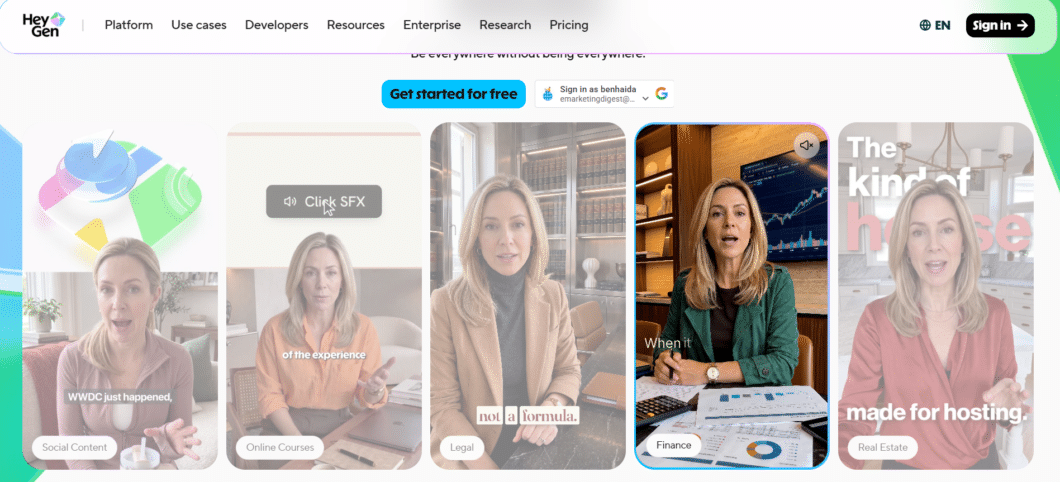
HeyGen leads the market on AI avatar quality. If your video ad strategy centers on a human presenter, this is the tool.
What It Does Well
Avatar realism is the headline. Lip-sync, micro-expressions, and head gestures are genuinely convincing. You choose from hundreds of avatars or create a custom one from a single photo — your face, a brand spokesperson, or a digital presenter. Voice cloning from a 30-second sample is equally strong. For explainer ads, app demos, or any format where a human face builds trust, HeyGen delivers the most lifelike AI presenter available.
Where It Falls Short
Avatars are HeyGen’s signature capability and its ceiling. There is no product B-roll generation, no text-to-video, and no motion graphics. As an AI video ad generator, it does one thing brilliantly but leaves everything else on the table. If your ads rely on product footage, lifestyle scenes, or anything beyond a talking head, you need a second tool.
Who Should Use HeyGen
Brands needing consistent AI spokespersons for explainer videos, multilingual campaigns, or app walkthroughs. Not the pick if your creative strategy depends on product visuals, motion graphics, or scene-based storytelling.
InVideo — Best for Template-Based Quick Video Ads
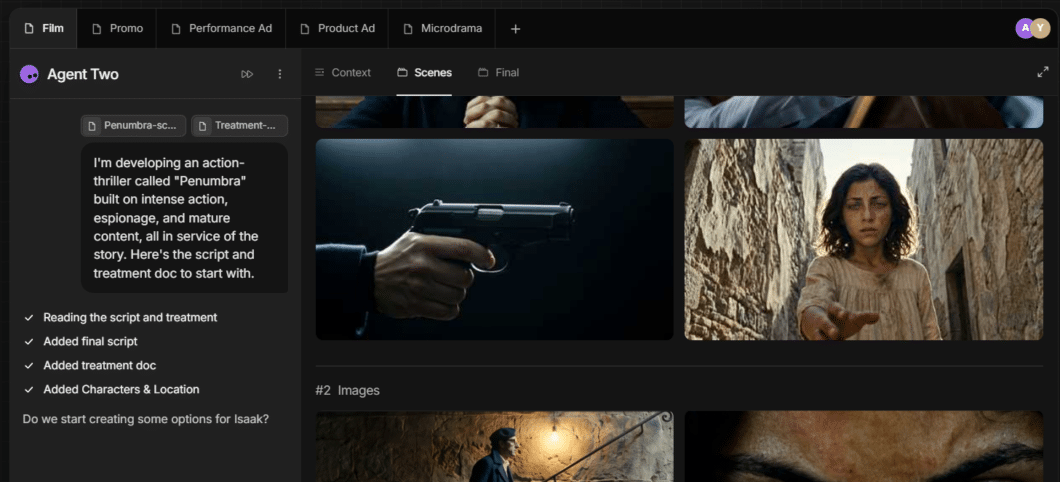
InVideo has been around the longest, and its template library reflects that: over 5,000 marketing-ready templates for every platform and format.
What It Does Well
Speed and structure. Enter a prompt, and the AI assembles a video from stock footage, AI voiceover, text overlays, and transitions. The editor gives you real control over timing — important for cutting to music or syncing captions. For flash sale announcements, app promos, and quick social clips, InVideo is fast and cheap.
Where It Falls Short
InVideo is a general video tool, not an ad-specific one. The AI generates a video from a prompt — it does not understand ad hooks, urgency, or conversion structure the way dedicated ad tools do. The free tier watermarks exports, making it unusable for paid campaigns without upgrading. And AI-generated footage can feel generic without significant prompt refinement.
Who Should Use InVideo
Social media managers who already work from templates and just need faster assembly. Not the pick if your AI video ad generator needs to understand ad strategy, or if watermarks on the free tier are a dealbreaker.
A 15-Minute Test Before You Choose
Do not pick from screenshots. Run this test with one real product:
- Minutes 0-3: Generate a base video clip from a text prompt or product image.
- Minutes 3-8: Create a 9:16 vertical version for TikTok or Reels.
- Minutes 8-12: Tighten the hook — edit the first three seconds, add a text overlay.
- Minutes 12-15: Export the final ad.
Score each tool on speed, hook quality, format flexibility, and free-plan friction. Multiply speed and hook quality by two — those predict ad performance better than any demo reel.
Before publishing an AI-generated video ad, check:
- Does the hook work in the first three seconds without sound?
- Are captions accurate and synced?
- Is the CTA clearly visible on mobile?
- Does it feel on-brand, or generically AI-generated?
Which AI Video Ad Generator Should You Choose?
Pick Creatify if you sell physical products and need UGC-style demos without hiring creators. Pick HeyGen if your strategy relies on a human presenter and you want the best avatars available. Pick InVideo if your team already works from templates and only needs faster assembly.
Pick VisualGPT if your AI video ad generator needs include text-to-video, image-to-video, and editing in one place — especially if you produce ads for multiple platforms and want to stay in a single workspace.
No single AI video ad generator covers every use case perfectly. Match the tool to the campaign type you run most often.
Final Thoughts
What a week of testing made clear: the best AI video ad generator is not the one with the most impressive demo. It is the one that fits your workflow — the AI video ad generator you open on Monday and use to ship a testable ad by noon.
The cost gap keeps widening. A freelancer-produced ad still runs USD 800-1,200 for one version with a week’s wait. An AI video ad generator creates variations in minutes for a fraction of the cost. For marketers testing 10-20 creatives per month, the savings are real — and separate from the revenue lift of finding winning ads faster.
If you have not tested an AI video ad generator yet, pick one product and run the 15-minute test. Upload a product photo. Generate a short clip. Measure the time from brief to publishable output. The right AI video ad generator pays for itself in the first campaign.